
























Browse Our Latest Articles From Category: Shopify and Stay Up to Date with new thing

Close-up of a computer screen with Shopify store interface.
Tutorials
andre

How to Choose the Perfect Domain Names for Your Shopify Store

Choosing the right domain name for your Shopify store is more than just a technical step; it’s a vital part of your brand’s identity. A well-chosen domain can help you stand out in a crowded market, enhance your credibility, and improve your visibility on search engines. In this article, we’ll explore how to select the perfect domain name that not only reflects your brand but also resonates with your target audience.   Key Takeaways Keep your domain name short and memorable to avoid confusion. Choose a name that aligns with your brand identity. Consider SEO implications when selecting keywords for your domain. Test your domain for pronunciation and spelling to ensure it’s user-friendly. Secure your domain promptly to prevent losing it to competitors.   Understanding The Importance Of Domain Names For Your Shopify The Role Of Domain Names In Branding Okay, so, your domain name? It’s not just a web address. Think of it as your shop’s online personality. It’s the first thing people see, and it’s got to make a good impression. A strong domain name can really help build your brand identity. It’s like, if you’re selling quirky socks, you wouldn’t want a super corporate-sounding domain, would you? It’s all about matching the vibe.   Impact On Search Engine Optimisation Right, SEO. It’s a big deal. And your domain name? It plays a part. While stuffing keywords into your domain isn’t the way to go anymore, a relevant domain can give you a little boost. Search engines like Google look at your domain to figure out what your site is about. So, if your domain is something like ‘bestcoffeeshoplondon.com’, it gives them a clue. It’s not the only thing that matters, but it helps. Think of it as one piece of the puzzle. You can also improve SEO by choosing the right domain.   User Trust And Credibility Let’s be honest, a dodgy-looking domain can scare people off. If your domain is a string of random characters or a super long, complicated name, people might think your site is a bit suspect. A professional, easy-to-remember domain builds trust. It tells people you’re legit. Plus, having your own domain (instead of something like ‘yourstore.shopify.com’) makes you look way more professional. It’s all about building credibility with your customers. A custom domain is a cornerstone of your online presence. A good domain name is an investment. It’s not just about having a web address; it’s about building a brand, improving your search engine ranking, and gaining the trust of your customers. It’s worth taking the time to get it right. Here’s a quick list of things a good domain does: Builds brand recognition Improves search engine ranking Increases customer trust Makes your site easier to find Sets you apart from the competition   Key Considerations When Selecting Domain Names Choosing a domain name can feel like naming a child – it’s a big decision! It’s not just about having an address for your online shop; it’s about creating an identity. You want something that sticks in people’s minds, is easy to share, and represents your brand well. Let’s get into some key things to think about.   Relevance To Your Brand Your domain name should be a reflexion of your brand. I mean, it makes sense, right? If you sell handmade jewellery, your domain should hint at that. It helps customers immediately understand what your shop is about. Think of it as your digital handshake. It needs to be clear and relevant. Does it align with your products or services? Does it convey your brand’s personality? Is it easy to understand at a glance?   Simplicity And Memorability Imagine trying to tell someone your website address over the phone, and it’s a string of complicated words and numbers. Not ideal, is it? Shorter, simpler names are easier to remember and type. Aim for something catchy and easy to spell. You want people to find you without any hassle. A good way to build your brand is to have a memorable domain name. Keep it short: Aim for under 15 characters if possible. Use easy-to-spell words: Avoid complex or unusual spellings. Make it memorable: Use alliteration or a catchy phrase.   Avoiding Common Pitfalls There are a few traps you want to avoid when picking a domain name. Using numbers or hyphens can confuse people. Being too generic won’t help you stand out. And ignoring SEO completely can hurt your visibility. It’s about finding that sweet spot where your domain is unique, easy to remember, and helps people find you. It’s important to register a domain name that avoids these pitfalls. Don’t get too caught up in trying to stuff keywords into your domain. It’s more important to have a name that’s easy to remember and represents your brand well. Think long-term, not just about short-term SEO gains. You can always optimise your site in other ways. Avoid numbers and hyphens: They can be confusing and easy to forget. Don’t be too generic: Stand out from the crowd with a unique name. Consider SEO, but don’t overdo it: Focus on relevance and brand identity. You can launch your online store with a well-thought-out domain name.   Exploring Extensions of Domain Name For Your Shopify Choosing the right domain name extension is more than just picking .com; it’s about aligning your brand with the right online space. The extension you select can significantly impact how customers perceive your business and how easily they find you online. Let’s explore the options.   Popular Domain Extensions Explained Okay, so you know about .com, but what about all the others? There’s a whole world of domain extensions out there, each with its own flavour and purpose. Here’s a quick rundown: .com: The old faithful. Still the most recognised and trusted extension. .net: Originally for network-related businesses, but now pretty general. .org: Usually used by non-profits and charities. .shop: Specifically for e-commerce businesses – could be a good fit for your Shopify store. .store: Another


Read More »
Customer service representative assisting a Shopify user.
Shopify
andre

How to Effectively Use Shopify Contact Support for Quick Solutions

Getting help from Shopify contact support can feel like a maze, but it’s worth it when you need quick answers. Whether you’re new to Shopify or a seasoned user, knowing how to reach out effectively to Shopify Contact Support can save you time and headaches. This guide will walk you through the best ways to contact Shopify support and make sure your issues get resolved fast.   Key Takeaways Understand the different Shopify contact support channels being offered and choose the one that fits your needs. Prepare all necessary information before reaching out to save time and get faster responses. Be clear and concise in your communication to help support agents understand your issue quickly. Explore self-help resources like Shopify’s Help Center and community forums before contacting support. Maintain patience and politeness when dealing with support agents to ensure a smoother resolution process.   Mastering the Art of Shopify Contact Support Understanding the Importance of Effective Communication When reaching out to Shopify support, effective communication is your best ally. Imagine you’re explaining your problem to a friend who’s not tech-savvy. You wouldn’t use jargon, right? Instead, you’d break it down simply. That’s exactly how you should approach Shopify support. They handle lots of queries daily, so a clear and concise message helps them help you faster.   The Role of Shopify Contact Support in Your Business Success Shopify support isn’t just a lifeline for when things go wrong. They’re a valuable partner in your business journey. From helping with technical glitches to providing insights on best practices, their role is crucial. Think of them as your backstage crew, always ready to ensure your store runs smoothly.   Common Misconceptions About Shopify Contact Support Many folks think Shopify support is just for emergencies, but that’s not true. They’re there for the little things too, like when you can’t figure out how to use a new feature. Another misconception is that support is slow or unhelpful. In reality, they strive to solve issues quickly and efficiently. If you’ve ever hesitated to reach out, remember, they’re there to make your life easier.   Navigating Shopify Contact Support Channels with Finesse Exploring the Shopify Help Center When you’re knee-deep in an issue, the Shopify Help Center is your first port of call. Packed with articles, guides, and tutorials, it’s a treasure trove of information ready to solve almost any problem. Before you reach out to support, it’s a smart move to dig through this resource. You might just find the answer without waiting on a response. Here’s a quick guide to getting the most out of it: Use the search bar to pinpoint your issue. Browse through related topics to expand your understanding. Bookmark useful articles for future reference.   Utilizing Live Chat for Immediate Assistance For those moments when you need answers fast, the Live Chat feature is your best friend. Available 24/7, it connects you directly with a support agent to address urgent queries or issues. Here’s how to make the most of it: Log into your Shopify account and navigate to the support section. Select ‘Chat with us’ to initiate a session. Keep your questions clear and concise for quicker solutions.   Leveraging Social Media for Shopify Contact Support Queries Social media isn’t just for memes and cat videos; it’s also a handy tool for getting in touch with Shopify. Platforms like Twitter and Facebook allow you to send direct messages or tag Shopify in posts. This can be particularly effective for simple questions or when you want a public response. Remember: Choose the right platform for your query. Be clear and concise in your message. Be patient while waiting for a response, as availability varies. Engaging with Shopify through these channels not only resolves your issues but also enhances your understanding of the platform. It’s about making the most of available resources to ensure your business runs smoothly.   Crafting the Perfect Support Request Gathering Essential Information Before Reaching Out Before you even think about contacting Shopify support, make sure you’ve got your ducks in a row. Preparation is key to a smooth support experience. Start by gathering all the necessary details about your issue. This includes your store URL, any error messages you’re encountering, and steps you’ve already taken to resolve the issue. You might also want to jot down the specific times these issues occurred. Having this information at your fingertips can save you and the support team a lot of time.   Writing Clear and Concise Support Messages When you’re ready to reach out, clarity is your best friend. Keep your messages straightforward and to the point. Begin with a brief introduction of the issue, followed by the details you gathered earlier. If you’re dealing with a technical problem, describe what you see on your end. Avoid jargon unless it’s absolutely necessary. Remember, the goal is to make it as easy as possible for the support team to understand your problem and find a solution.   The Do’s and Don’ts of Contacting Support Here’s a quick list to keep you on track: Do: Be polite and patient. The person on the other end is there to help you. Do: Follow up if you haven’t heard back in a reasonable time. Don’t: Bombard them with multiple messages. It won’t speed up the process. Don’t: Assume they know the history of your issue. Provide context. When reaching out for help, think of it as a conversation, not a demand. You’re more likely to get a helpful response when you approach the situation collaboratively rather than confrontationally. By following these steps, you’ll be well on your way to resolving your issues efficiently. And who knows, you might even learn a thing or two about Shopify analytics in the process!   Maximizing Self-Help Resources Before Contacting Support Exploring Shopify’s Extensive Tutorial Library Before you even think about reaching out to Shopify support, dive into their treasure trove of tutorials. These guides are like having a personal mentor at your fingertips.

Read More »
Laptop with Shopify Developer API interface and e-commerce tools.
E-Commerce
andre

Unlocking the Power of the Shopify Developer API: A Comprehensive Guide for E-commerce Innovators

Ever thought about how online stores get those cool custom features? It’s often thanks to the Shopify Developer API. This guide is for anyone curious about how to make the most of it. Whether you’re a seasoned developer or just starting out, understanding Shopify’s API can really help you create unique shopping experiences. Let’s break down what this API is all about and how it can transform the way you approach e-commerce.   Key Takeaways Shopify Developer API is essential for creating custom e-commerce solutions. Understanding both REST and GraphQL APIs can help you choose the best approach for your needs. Integrating third-party apps with Shopify’s API can streamline business operations. Security is a major consideration when working with APIs, especially concerning customer data. Staying updated with Shopify API changes is crucial for maintaining functionality.   Exploring the Shopify Developer API: A Gateway to Innovation Understanding the Core Features of Shopify’s API Shopify’s Developer API is like the Swiss Army knife of e-commerce tools. It lets developers create custom applications that can interact with different parts of a store. Imagine having the power to automate tasks, manage inventory, or even integrate third-party services with ease. At its core, Shopify’s API is all about flexibility and control. Whether you’re handling products, customers, or orders, this API offers a robust set of features that are essential for creating a seamless online shopping experience.   The Role of APIs in E-commerce Transformation In the fast-paced world of e-commerce, staying ahead means constantly adapting to new trends and technologies. APIs are the unsung heroes of this transformation. They act as bridges, connecting disparate systems and enabling them to work together harmoniously. With Shopify’s API, businesses can integrate their online stores with various tools and platforms, paving the way for innovative solutions that can drive growth and improve efficiency. It’s no wonder that Shopify’s stock has surged following significant upgrades from analysts, reflecting growing confidence in its potential for future success.   How Shopify’s API Facilitates Custom Solutions Customization is key in today’s competitive market. Shopify’s API empowers developers to tailor solutions that meet specific business needs. Whether it’s creating a unique shopping experience or automating complex workflows, the API is a crucial tool for innovation. By providing access to a wide range of functionalities, it allows developers to craft solutions that are as unique as the businesses they support. This flexibility not only enhances operational efficiency but also opens up new opportunities for growth and expansion.   Diving Deep into Shopify’s API Architecture REST vs. GraphQL: Choosing the Right API for Your Needs When it comes to Shopify, developers have two main options for interacting with the platform’s data: REST and GraphQL. Each has its own strengths and quirks. REST is like the comfort food of APIs—familiar and straightforward. It uses multiple endpoints, which can be a bit chatty, but it’s simple to get started with. On the other hand, GraphQL is the new kid on the block. It allows you to fetch exactly the data you need with a single call, making it more efficient. However, it requires a bit more learning to master its syntax. Here’s a quick comparison: Feature REST API GraphQL API Data Retrieval Multiple endpoints Single endpoint Efficiency Less efficient, more data transfer More efficient, precise data fetching Complexity Easier to implement Requires understanding of syntax Best for Simple integrations Complex, data-intensive operations The Power of Admin and Storefront APIs Shopify provides two primary APIs to cater to different needs: the Admin API and the Storefront API. The Admin API is your backstage pass to Shopify’s core, allowing you to manage products, orders, and customer data. It’s perfect for automating tasks like updating inventory or processing orders. Meanwhile, the Storefront API is all about the customer experience. It lets you create custom storefronts and integrate with mobile apps, offering unique shopping experiences that can make your store stand out. Think of it as the face of your shop, while the Admin API is the brains behind the operation.   Security Considerations in API Usage Security might not be the most glamorous topic, but it’s crucial when using Shopify’s APIs. Protecting customer data should be a top priority. Always use secure connections (HTTPS) and manage API keys carefully. Remember, with great power comes great responsibility. Regularly review your app’s permissions and ensure you’re only requesting the access you truly need. Also, keep an eye on Shopify’s updates to stay ahead of any security patches or changes. In the world of e-commerce, trust is everything, and safeguarding your API interactions helps maintain that trust. Understanding Shopify’s API architecture isn’t just about picking the right tools; it’s about crafting a strategy that aligns with your business goals. Whether you’re building a simple app or a complex integration, knowing when to use REST, GraphQL, or the Admin and Storefront APIs can make all the difference in delivering a seamless experience for both you and your customers.   Harnessing Shopify’s API for Seamless Integrations   Integrating Third-Party Applications with Shopify Integrating third-party applications with Shopify is like adding extra gears to a well-oiled machine, enhancing its performance and functionality. Shopify’s API makes it possible to connect a wide range of applications, from accounting software to customer relationship management (CRM) tools. This integration allows for real-time data synchronization, ensuring that your business operations run smoothly. Custom Integrations: Tailor your Shopify store by connecting specialized software like ERP systems, ensuring seamless data flow and efficient operations. Automation: Use the API to automate routine tasks such as inventory updates and order processing. Scalability: As your business grows, expand your store’s capabilities with additional API integrations.   Automating Business Processes Using Shopify Developer API Shopify’s API is a game-changer when it comes to automating business processes. By automating repetitive tasks, businesses can save time and reduce errors. This automation can include everything from updating inventory levels to processing orders, allowing business owners to focus on more strategic activities. Inventory Management: Automatically update stock levels to prevent overselling

Read More »
A laptop on a wooden desk with plants. how to make a shopify website
Digital Marketing
andre

Ultimate Guide: How to Make a Shopify Website in 2024 for Beginners

Creating a Shopify website can be a fun and exciting journey, especially for beginners. This guide on how to make a Shopify website, will walk you through the essential steps needed to set up your own online store using Shopify. From understanding what Shopify is to launching and promoting your store, this article will provide you with all the key information you need to succeed in e-commerce. Key Takeaways Shopify is an easy-to-use platform for building online stores. You can choose from various plans to find the one that fits your needs. Customizing your store’s look is simple with many available themes. Adding products and organizing them into collections helps customers find what they need. Promoting your store and using analytics can help you grow your business. Understanding Shopify and Its Benefits What is Shopify? Shopify is a powerful platform that allows anyone to create their own online store. It’s designed for people who want to sell products without needing to know a lot about technology. With Shopify, you can set up your store quickly and easily, making it a popular choice for many new business owners. Key Features of Shopify Shopify comes with many features that help you run your online store smoothly. Here are some key features: User-friendly interface: Easy to navigate, even for beginners. Mobile responsiveness: Your store looks great on phones and tablets. Built-in payment processing: Accept payments directly through your store. Advantages of Using Shopify for E-commerce Using Shopify has many benefits for your e-commerce business. Here are a few: Quick setup: You can start selling in no time. 24/7 support: Help is available whenever you need it. Secure transactions: Your customers’ information is safe. Shopify is a great choice for anyone looking to start an online business. It offers tools and support to help you succeed in the competitive world of e-commerce. In summary, Shopify is a fantastic platform for beginners who want to create an online store. With its user-friendly features and strong support, you can focus on growing your business and reaching your goals. Explore essential Shopify tutorials and guides to enhance your e-commerce success! How to Make a Shopify Website Creating a Shopify Account To start your journey with Shopify, you first need to create an account. This process is simple and can be done in just a few steps: Visit the Shopify website. Click on the ‘Start free trial’ button. Enter your email address, password, and store name. Once you complete these steps, you will receive a confirmation email to verify your account. Choosing the Right Shopify Plan Shopify offers several plans to fit different business needs. Here’s a quick overview of the main plans: Plan Name Monthly Cost Best For Basic Shopify $29 New businesses Shopify $79 Growing businesses Advanced Shopify $299 Established businesses Choosing the right plan is crucial for your store’s success. Consider your budget and the features you need. Navigating the Shopify Dashboard After setting up your account and selecting a plan, you will be taken to the Shopify dashboard. This is where you can manage your store. Here are some key areas to explore: Home: Overview of your store’s performance. Orders: Manage customer orders. Products: Add and organize your products. Online Store: Customize your store’s appearance. The dashboard is your control center. Familiarize yourself with it to make the most of your Shopify experience. By following these steps, you can effectively set up your Shopify account and prepare for your e-commerce journey. Remember, success comes from careful planning and execution! Designing Your Shopify Store Creating a visually appealing and functional Shopify store is essential for attracting customers. Your store’s design can significantly impact sales. Here are some key steps to consider: Selecting a Theme for Your Store Choose a theme that reflects your brand’s personality. Consider the layout and features that suit your products. Look for responsive designs that work on mobile devices. Customizing Your Store’s Appearance Adjust colors and fonts to match your brand. Add your logo and other branding elements. Use high-quality images to showcase your products. Adding Essential Pages to Your Store Make sure to include important pages like: About Us Contact Us Privacy Policy A well-designed store not only looks good but also provides a great shopping experience for customers. By following these steps, you can create a Shopify store that stands out and meets your customers’ needs. Remember, the design process is about harmonizing your brand with user experience. Step Description 1 Brainstorm ideas for your store layout. 2 Select a theme that fits your brand. 3 Customize your theme to make it unique.  Adding Products to Your Shopify Store How to Add Products To start adding products to your Shopify store, follow these simple steps: From the Shopify app, tap on Products. Tap the + icon and select Add Product. Enter a title for your product and any other details you want to include. Finally, tap Save to keep your changes. Organizing Products into Collections Organizing your products into collections helps customers find what they need easily. Here are some tips: Create collections based on product types (e.g., clothing, accessories). Use seasonal collections for special promotions. Consider customer preferences and trends when organizing. Optimizing Product Descriptions for SEO To make your products easier to find online, you should optimize their descriptions. Here’s how: Use relevant keywords in your product titles and descriptions. Write clear and engaging descriptions that highlight the benefits of your products. Include bullet points for key features to make it easy to read. Remember, a well-organized store with clear product descriptions can lead to more sales and happier customers! Configuring Payment and Shipping Options Setting Up Payment Gateways To start selling on your Shopify store, you need to set up payment gateways. This is how you will receive money from your customers. Here are some popular options: Shopify Payments: This is the easiest way to accept payments. PayPal: A widely used option that many customers trust. Stripe: Great for businesses that want more control

Read More »
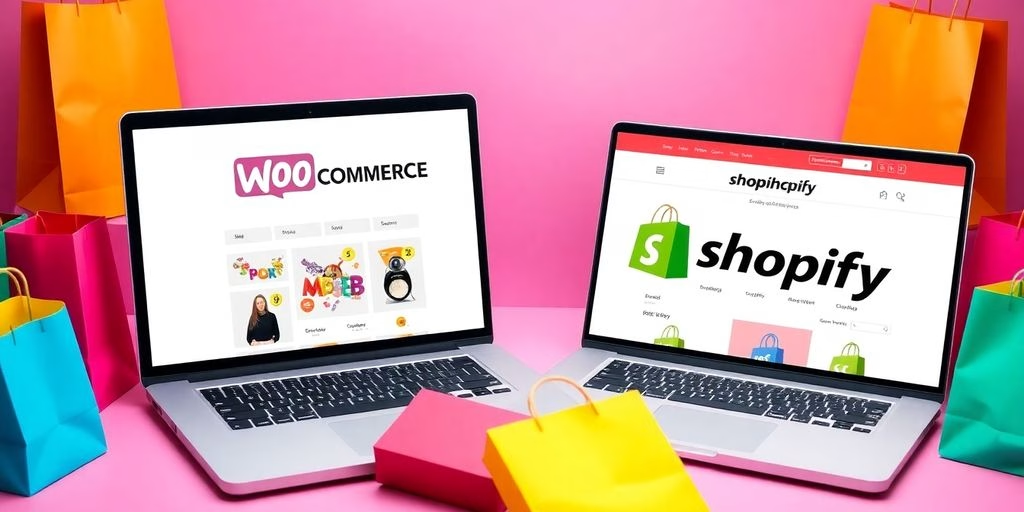
WooCommerce vs Shopify: Unveiling the Best E-commerce Platform for Your Business in 2024 | Laptop with WooCommerce and Shopify store images.
Conversion Rate Optimization
andre

WooCommerce vs Shopify: Unveiling the Best E-commerce Platform for Your Business in 2024

WooCommerce vs Shopify: In the world of online shopping, choosing the right platform can make a big difference for your business. Two of the most popular options are WooCommerce and Shopify. This article will explore their features, costs, and more to help you decide which one is the best fit for you in 2024. Key Takeaways WooCommerce is a plugin for WordPress, while Shopify is a standalone platform. Shopify offers easier setup for beginners, but WooCommerce provides more customization options. Both platforms have different pricing plans, so it’s important to understand the costs involved. WooCommerce allows for more flexibility with design, while Shopify has many built-in templates. Customer support varies, with Shopify offering 24/7 support and WooCommerce relying on community forums. Overview of WooCommerce vs Shopify   Key Features of WooCommerce WooCommerce is a powerful plugin for WordPress that allows you to turn your website into a full-fledged online store. Here are some of its key features: Open-source: You can customize it as much as you want. Wide range of extensions: Add functionalities like payment gateways and shipping options. Strong community support: Many resources are available for help. Key Features of Shopify Shopify is a dedicated e-commerce platform that is user-friendly and designed for businesses of all sizes. Its main features include: Hosted solution: No need to worry about hosting or security. Easy to use: Set up your store quickly without technical skills. Mobile-friendly: Your store looks great on all devices. Market Position and Popularity Both platforms have a strong presence in the e-commerce market. Here’s a quick comparison: Platform Market Share Popularity Rank WooCommerce 29% 1 Shopify 23% 2 In 2024, Shopify is often seen as more affordable than WooCommerce when considering all costs. This makes it a popular choice for many new businesses. In the world of e-commerce, choosing the right platform can make a big difference in your success. Overall, both WooCommerce and Shopify have their strengths, and the best choice depends on your specific business needs. Pricing Structures and Costs WooCommerce Pricing Breakdown WooCommerce is a free plugin for WordPress, but there are costs involved. Here are some key points to consider: Hosting Fees: You need to pay for web hosting, which can range from $5 to $50 per month. Domain Name: A domain name typically costs around $10 to $20 per year. Extensions and Themes: While WooCommerce is free, many extensions and themes can cost anywhere from $30 to $300 each. Shopify Pricing Breakdown Shopify offers several pricing plans: Plan Monthly Cost Features Included Basic $39 Online store, 2 staff accounts Shopify $105 Professional reports, 5 staff accounts Advanced $399 Advanced report builder, 15 staff accounts Shopify is a leading e-commerce platform that provides a complete solution for online businesses. Hidden Costs to Consider When using either platform, be aware of potential hidden costs: Transaction Fees: WooCommerce has no transaction fees, but payment gateways may charge. App Costs: Both platforms offer apps that can add to your monthly expenses. Maintenance Costs: Regular updates and maintenance can incur additional costs. Understanding the costs involved is crucial for making the right choice for your business. In summary, both WooCommerce and Shopify have their own pricing structures. WooCommerce can be cheaper initially, but costs can add up with hosting and extensions. Shopify has clear pricing plans, but you should consider transaction fees and app costs. Choose the one that fits your business needs best! Ease of Use and User Experience Setting Up WooCommerce Setting up WooCommerce can be a bit tricky for beginners. It requires installing WordPress and then adding the WooCommerce plugin. This process can be complex for those who are not tech-savvy. However, once set up, users can enjoy a lot of flexibility with their online store. Setting Up Shopify On the other hand, Shopify is known for its user-friendly interface. Users can create their online store in just a few clicks. The platform provides a simple editor and responsive templates, making it easy for anyone to start selling online. This is why many consider Shopify the best choice for businesses with a large number of products. User Interface Comparison When comparing the user interfaces of both platforms, WooCommerce offers more customization options, but it can be overwhelming. Shopify, however, provides a more streamlined experience. Here’s a quick comparison: Feature WooCommerce Shopify Setup Time Longer Shorter Customization High Moderate Learning Curve Steeper Gentle Support Community-based 24/7 Customer Support In summary, while WooCommerce provides depth and breadth through WordPress plugins, it may require more technical oversight. Shopify, with its easy-to-use editor, is designed for those who want to get started quickly without much hassle. Choosing the right platform depends on your business needs. If you prefer customization and control, WooCommerce might be for you. But if you want simplicity and speed, Shopify is a great option. Customization and Flexibility WooCommerce Customization Options WooCommerce is known for its extensive customization capabilities. Users can modify almost every aspect of their online store, from the layout to the functionality. Here are some key points: Open-source nature allows for deep customization. A wide range of themes and plugins are available. Users can add custom code for unique features. Shopify Customization Options Shopify offers a more streamlined approach to customization, but it has its limits. Here’s what you should know: Limited design flexibility compared to WooCommerce, which can restrict creativity. Customization often requires higher-tier plans or extra apps. Users can still choose from various themes, but options may be fewer. Third-Party Integrations Both platforms support third-party integrations, but the ease of use varies: WooCommerce integrates seamlessly with many plugins, enhancing functionality. Shopify also supports integrations, but some may come with additional costs. Users should consider their specific needs when choosing between the two. In summary, WooCommerce shines in terms of customization, making it a great choice for those who want to tailor their store extensively. On the other hand, Shopify provides a more straightforward setup but may require extra investment for advanced features. Ultimately, the choice between WooCommerce and Shopify depends

Read More »
Modern workspace with laptop and colorful product images. Shopify Ecommerce in 2025: Unlocking Success - Comprehensive Guide | Shopify Ecommerce in 2025: Membuka kesuksesan - Panduan Lengkap
Digital Marketing
andre

Unlocking Success: A Comprehensive Guide to Shopify Ecommerce in 2025

kseIn the fast-paced world of online shopping, Shopify ecommerce stands out as a powerful platform for entrepreneurs. This guide will help you unlock the secrets to building a successful Shopify store in 2025. From setting up your store to mastering marketing strategies, you’ll find everything you need to thrive in the competitive ecommerce landscape. Key Takeaways Choose the right Shopify plan that fits your business needs. Customize your store’s design to create a unique shopping experience. Find reliable suppliers for your products to ensure quality and consistency. Use social media and email marketing to reach more customers effectively. Analyze your store’s performance regularly to improve sales and customer satisfaction. Setting Up Your Shopify Store for Success Starting your Shopify store can be exciting and a bit overwhelming. Here’s how to set it up for success: Choosing the Right Shopify Plan When you begin, it’s important to select a plan that fits your needs. Here are some options: Basic Plan: Great for beginners. Shopify Plan: Offers more features for growing businesses. Advanced Plan: Best for larger businesses with high sales. Customizing Your Store Design Your store’s design is crucial for attracting customers. Consider these tips: Choose a theme that matches your brand. Use high-quality images for your products. Make sure your site is easy to navigate. Integrating Essential Apps To enhance your store’s functionality, integrate useful apps. Some must-have apps include: SEO tools to improve your search rankings. Email marketing apps to reach your customers. Analytics tools to track your store’s performance. Remember, a well-set-up store can lead to higher sales and customer satisfaction. By following these steps, you can create a strong foundation for your Shopify store and unlock its full potential. Don’t forget to keep learning and adapting as you grow your business! Mastering Product Sourcing and Inventory Management Finding Reliable Suppliers Finding the right suppliers is crucial for your Shopify store. Here are some tips to help you: Research potential suppliers thoroughly. Look for reviews and ratings from other sellers. Consider suppliers who offer a wide range of products. Managing Inventory Efficiently Efficient inventory management can make or break your business. Here are some strategies: Use inventory management tools to track stock levels. Set up alerts for low stock to avoid running out. Regularly review your inventory to identify slow-moving items. Utilizing Shopify’s Inventory Tools Shopify offers various tools to help you manage your inventory effectively. Automated stock updates keep your listings accurate. Use the bulk import feature to add products quickly. Analyze sales data to make informed decisions about restocking. Managing your product sourcing and inventory well is essential for success. By focusing on reliable suppliers and efficient inventory practices, you can enhance your store’s performance. Supplier Name Rating Product Range Supplier A 4.5 500+ Supplier B 4.0 300+ Supplier C 4.8 800+ In 2025, B2B ecommerce will be more personalized and customer-centric. This means that understanding your suppliers and inventory is more important than ever. By mastering these aspects, you can ensure a smooth operation and a better shopping experience for your customers. Effective Marketing Strategies for Shopify Ecommerce Leveraging Social Media Marketing Social media is a powerful tool for promoting your Shopify store. Engaging with your audience on platforms like Instagram, Facebook, and TikTok can drive traffic and increase sales. Here are some tips: Create eye-catching posts that showcase your products. Use stories and reels to connect with your audience. Collaborate with influencers to reach a wider audience. Implementing SEO Best Practices Search Engine Optimization (SEO) is crucial for getting your store noticed. By optimizing your site, you can improve your visibility on search engines. Here are some key practices: Use relevant keywords in your product descriptions. Optimize your images with alt text. Create quality content that answers customer questions. SEO Strategy Description Keyword Research Find keywords your customers are searching for. On-Page SEO Optimize titles, meta descriptions, and URLs. Content Marketing Create blogs or guides related to your products. Utilizing Email Marketing Campaigns Email marketing is an effective way to keep your customers informed and engaged. Building a strong email list can lead to repeat sales. Here are some strategies: Send newsletters with updates and promotions. Use personalized emails to recommend products. Offer discounts to subscribers to encourage purchases. Remember, a well-optimized store is essential for long-term success in ecommerce. By focusing on these marketing strategies, you can enhance your store’s visibility and attract more customers. Enhancing Customer Experience on Your Shopify Store Creating a great customer experience is key to keeping shoppers happy and coming back. Here are some important areas to focus on: Optimizing User Interface and Navigation Make it easy to find products: Use clear categories and search options. Mobile optimization is crucial: Ensure your store looks good on phones and tablets. Keep the checkout process simple to avoid losing sales. Implementing Customer Feedback Systems Collect feedback through surveys or reviews to understand customer needs. Use this feedback to make improvements and show customers you care. Consider offering incentives for feedback, like discounts on future purchases. Providing Excellent Customer Support Offer multiple ways for customers to reach you, such as chat, email, and phone support. Train your team to respond quickly and helpfully to inquiries. Create a FAQ section to answer common questions and reduce support requests. Remember, a happy customer is likely to return and recommend your store to others. By focusing on these areas, you can significantly enhance the customer experience on your Shopify store, leading to better sales and customer loyalty. Feature Importance Level User-Friendly Navigation High Customer Feedback Systems Medium Responsive Customer Support High Analyzing and Improving Store Performance To ensure your Shopify store is thriving, it’s essential to regularly analyze its performance. Understanding your store’s metrics can lead to better decisions and increased sales. Here are some key areas to focus on: Using Shopify Analytics Tools Track key metrics: Monitor your store’s revenue, traffic, and conversion rates. Identify trends: Look for patterns in customer behavior to optimize your offerings. Utilize reports: Use Shopify’s built-in reports

Read More »
Modern POS setup in a busy retail store.
Digital Marketing
andre

Shopify POS: 7 Key Ways to Enhance Your Retail Business – A Comprehensive Guide

Shopify POS is a game changer for retailers. It helps businesses connect their online and in-store sales, making it easier to manage everything from inventory to customer interactions. This guide will explore how Shopify POS can boost sales efficiency and enhance the overall shopping experience for customers. Key Takeaways Shopify POS connects online and offline sales for smoother customer experiences. It offers smart tools for managing inventory effectively. The system allows easy training for staff to use the POS efficiently. Shopify POS helps create personalized customer interactions. It provides detailed reports to help businesses make informed decisions. Understanding Shopify POS and Its Impact on Retail Shopify POS is a game-changer for retailers, making it easier to manage both in-person and online sales. This system helps businesses adapt to the increasing technological demands from their customers. With its unified commerce solution, Shopify POS offers a seamless experience for both retailers and shoppers. Key Features of Shopify POS Unified Inventory Management: Syncs stock levels across online and physical stores. Flexible Payment Options: Supports various payment methods for customer convenience. Customer Insights: Tracks customer profiles for personalized service. Benefits of Using Shopify POS Improved Efficiency: Streamlines operations by integrating sales channels. Enhanced Customer Experience: Offers quick checkouts and easy returns. Real-Time Data Access: Provides insights into sales and inventory management. How Shopify POS Enhances Retail Operations Shopify POS transforms retail by: Simplifying Checkout Processes: Reduces wait times and improves customer satisfaction. Facilitating In-Store Pickups: Allows customers to buy online and pick up in-store easily. Supporting Mobile Sales: Enables sales at events and markets with portable devices. Shopify POS is a flexible solution that grows with your business, helping you meet the demands of modern retail. Integrating Shopify POS with Your Retail Business Integrating Shopify POS into your retail business can significantly improve your operations. This system allows you to manage both online and in-store sales seamlessly. Here’s how to get started: Steps to Set Up Shopify POS Assess your business needs to determine if Shopify POS is the right fit. Sign up for a suitable Shopify plan and start your free trial. Follow the setup instructions to configure your POS system. Train your staff on how to use the system effectively. Organize your inventory and set up payment options. Training Your Staff on Shopify POS Provide hands-on training sessions to familiarize your team with the system. Use online resources and tutorials to enhance their understanding. Encourage staff to ask questions and share tips with each other. Optimizing Shopify POS for Your Store Regularly update your inventory to reflect current stock levels. Integrate with third-party applications for accounting, marketing, and customer management. Monitor sales data to identify trends and adjust your strategies accordingly. By integrating Shopify POS, you can streamline your operations and enhance customer satisfaction. This system not only simplifies inventory management but also provides valuable insights into your sales performance. In conclusion, integrating Shopify POS into your retail business is a smart move that can lead to improved efficiency and customer experiences. With the right setup and training, your team can leverage this powerful tool to drive sales and grow your business. Enhancing Customer Experience with Shopify POS Streamlining Checkout Processes Shopify POS makes the checkout process quick and easy. Retailers can customize their systems to speed up transactions, ensuring that customers spend less time waiting. This leads to happier customers and more sales. Here are some ways to streamline checkout: Use mobile devices for checkout anywhere in the store. Implement contactless payment options for faster transactions. Train staff to handle transactions efficiently. Personalizing Customer Interactions With Shopify POS, retailers can gather important customer data to create a more personalized shopping experience. By using customer metafields, businesses can track preferences and purchase history. This allows for tailored promotions and recommendations, enhancing customer satisfaction. Here are some personalization strategies: Send personalized emails based on past purchases. Offer discounts on items customers frequently buy. Use customer data to improve in-store interactions. Implementing Loyalty Programs Loyalty programs are a great way to keep customers coming back. Shopify POS allows retailers to easily manage these programs, rewarding customers for their purchases. Here are some key points to consider: Create a points system where customers earn rewards for every purchase. Offer exclusive deals for loyalty members. Use customer data to target promotions effectively. By enhancing the customer experience with Shopify POS, retailers can build stronger relationships and increase sales. Keeping customers happy is key to long-term success! Leveraging Shopify POS for Inventory Management Real-Time Inventory Tracking Managing your inventory effectively is essential for retail success. With Shopify POS, you can track stock levels across multiple locations in real-time. This means you always know what you have in stock, helping you avoid running out of popular items. This feature helps prevent stockouts and overstocks, ensuring customer satisfaction. Automating Reordering Processes Shopify POS allows you to set up automatic reordering and low stock alerts. This means you can focus on other important tasks while the system keeps an eye on your inventory. Here are some benefits of automating your reordering: Saves time by reducing manual checks Ensures popular items are always available Helps maintain optimal inventory levels Managing Multi-Location Inventory If you have multiple store locations, Shopify POS makes it easy to manage inventory across all of them. You can sync inventory between your online store and physical locations, ensuring that your stock levels are always up to date. This integration allows for a seamless shopping experience for your customers, whether they shop online or in-store. By using Shopify POS, retailers can gain valuable insights into their inventory health, helping them make better decisions for their business. Summary Table of Key Features Feature Description Real-Time Tracking Monitor stock levels across all locations Automatic Reordering Set alerts for low stock and reorder automatically Multi-Location Management Sync inventory between online and physical stores With these powerful tools, Shopify POS helps retailers manage their inventory efficiently, leading to improved sales and customer satisfaction. Boosting Sales Through Omnichannel Strategies with Shopify POS

Read More »
A bright workspace with a laptop and coffee.
E-Commerce
andre

6 Essential Insights to Become a Successful Shopify Partner

Becoming a Shopify Partner can open many doors for your business. With Shopify being a popular platform for online stores, joining its Partner Program allows you to tap into a vast network and numerous opportunities. This guide will help you understand how to get started and make the most out of your partnership with Shopify. Key Takeaways The Shopify Partner Program offers various categories for partners, including agencies, app developers, and consultants. Joining this program provides access to exclusive training materials and resources to enhance your skills. You can earn money through referrals, commissions, and by creating apps or themes for Shopify merchants. Staying active in the Shopify community through events and forums can help you grow and learn from others. Focusing on a specific niche can set you apart and attract more clients looking for specialized services. Understanding the Shopify Partner Program The Shopify Partner Program is a great opportunity for people who want to use Shopify’s powerful tools to grow their business. This program is open to many types of professionals, including developers, designers, marketers, and consultants. By joining, you can tap into a thriving ecosystem that supports your growth. Key Categories of Shopify Partnerships Shopify has several categories for its partners: Agency Partners: These partners help clients set up and manage their Shopify stores, earning money through referrals and services. App Partners: This group focuses on creating apps or themes that help Shopify merchants improve their stores. Consulting Partners: These are experts who provide advice and strategies to businesses looking to enhance their eCommerce operations. Technology Partners: They develop software that integrates with Shopify, making it easier for customers to use the platform. Benefits of Joining the Program Becoming a Shopify Partner comes with many advantages: Revenue Opportunities: You can earn money through referrals, commissions, and development projects. Training and Resources: Partners get access to exclusive training materials and certifications to improve their skills. Networking: You can connect with a global community of partners, sharing ideas and collaborating on projects. Joining the Shopify Partner Program is not just about making money; it’s about being part of a community that helps you grow and succeed. How to Get Started as a Partner To become a Shopify Partner, follow these simple steps: Sign Up: Visit the Shopify Partner Program page and click on the “Join now” button. Complete Your Profile: Fill out the registration form with your personal and business information. Access the Dashboard: Once registered, you can use the Partner Dashboard to manage your projects and track your earnings. By understanding the Shopify Partner Program, you can unlock your potential and start your journey towards success in the eCommerce world. Steps to Becoming a Shopify Partner Becoming a Shopify Partner is a simple process that can be broken down into a few clear steps. Follow these steps to get started on your journey. Knowledge Accumulation and Resources Learn about Shopify: Start by exploring the resources available on the Shopify website. Familiarize yourself with the Partner Program and its benefits. Utilize training materials: Take advantage of the training materials provided by Shopify to enhance your skills and knowledge. Engage with the community: Join forums and attend events to connect with other partners and learn from their experiences. Application Process and Setup Join the Shopify Partner Program: Visit the Shopify Partner Program page and click on the “Join now” button to begin your application. Verify your email address: After signing up, check your email to verify your account. This is a crucial step to ensure your application is processed. Complete your profile: Fill out the required information accurately, including your name, email, and business details.   Building and Earning as a Partner Access the Partner Dashboard: Once your profile is complete, you will gain access to the Partner Dashboard, your main hub for managing projects and tracking earnings. Start building: Begin creating apps, themes, or offering consulting services to merchants. Your contributions can lead to earnings through various channels. Monitor your progress: Regularly check your dashboard to track your earnings and see how your projects are performing. Becoming a Shopify Partner is not just about signing up; it’s about actively engaging with the platform and continuously improving your skills. By following these steps, you can successfully navigate the path to becoming a Shopify Partner and unlock new opportunities for growth and success. Maximizing Your Shopify Partnership Being a Shopify Partner is just the start; to truly thrive, you need to keep learning, adapt to changes, and engage with the community. Here are some tips to help you excel: Continuous Learning and Skill Enhancement Stay Updated: The eCommerce landscape is always changing. Make sure to keep up with the latest trends and tools by using Shopify’s resources. Utilize Shopify Academy: Take advantage of the training and certification programs available to enhance your skills and knowledge. Explore New Features: Regularly check for updates on Shopify tools and features to provide the best solutions to your clients. Engaging with the Shopify Community Join Forums and Events: Participate in discussions and attend events to connect with other partners and share insights. Collaborate with Others: Working with fellow partners can lead to new opportunities and ideas. Share Your Success Stories: Highlighting your achievements can inspire others and build your reputation in the community. Leveraging Shopify Tools and Features Use Marketing Tools: Take advantage of Shopify’s marketing tools to enhance your visibility and reach. Optimize Your Profile: Make sure your partner profile is complete and showcases your skills effectively. Track Your Progress: Regularly review your performance metrics to identify areas for improvement and growth. Remember, success as a Shopify Partner is not just about what you know, but also about how you connect and collaborate with others in the ecosystem. Specializing as a Shopify Partner Choosing a Niche Market Focusing on a specific area can greatly enhance your success as a Shopify Partner. Whether you choose to specialize in custom app development, e-commerce consulting, or theme design, having a niche allows you to become an

Read More »
sales funnel for shopify. with Shopify logo and arrow
Shopify
andre

Mastering the Sales Funnel for Shopify: A Comprehensive Guide

Running a Shopify store is just the beginning. The real challenge is turning visitors into customers. That’s where understanding the sales funnel comes in. This guide will help you learn about the Shopify sales funnel, why it’s important, and how to build and optimize it for better sales. Key Takeaways A sales funnel is a step-by-step process that guides visitors to make a purchase. Having a well-designed sales funnel can significantly increase your Shopify store’s revenue. There are common myths about sales funnels that can mislead store owners. Optimizing your funnel involves analyzing data, testing, and using customer feedback. Upselling and cross-selling are powerful techniques to boost sales within your funnel. Decoding the Sales Funnel for Shopify What is a Sales Funnel? A sales funnel is a journey that guides potential customers from their first interaction with your store to the final purchase. Think of it as a roadmap that helps you understand and optimize each step of the buying process. It’s crucial to know each stage to effectively turn visitors into paying customers. Why Your Shopify Store Needs a Sales Funnel Your Shopify store needs a sales funnel to streamline the customer journey and boost conversions. Without a well-structured funnel, you might lose potential customers at various stages. Here are some reasons why a sales funnel is essential: Helps in identifying where customers drop off Provides insights into customer behavior Allows for targeted marketing strategies Enhances overall customer experience Common Misconceptions About Sales Funnels Many believe that a sales funnel is a one-size-fits-all solution, but that’s far from the truth. Each store has unique needs and requires a customized approach. Another common myth is that once a funnel is set up, it doesn’t need further tweaking. In reality, continuous optimization is key to success. Understanding these misconceptions can save you from common pitfalls and help you build a more effective funnel. A well-optimized sales funnel is not just a structure; it’s a dynamic pathway that demands careful attention, strategic thinking, and adaptability. Crafting the Perfect Shopify Sales Funnel Creating a Shopify sales funnel that truly works involves understanding and implementing several key elements. By masterfully incorporating these components, you can build a Shopify sales funnel that drives sales, fosters long-term customer relationships, and keeps your customers coming back for more. Essential Elements of a Shopify Sales Funnel To craft the perfect sales funnel, you need to focus on a few essential elements: Awareness Stage: This is where potential customers first learn about your store. Use social media, SEO, and content marketing to attract visitors. Consideration Stage: Here, you provide more information about your products. Use email marketing, retargeting ads, and detailed product pages. Decision Stage: This is the final step where the customer decides to make a purchase. Offer discounts, free shipping, and easy checkout processes. Step-by-Step Guide to Building Your Funnel Identify Your Target Audience: Know who your customers are and what they need. Create Engaging Content: Develop blog posts, videos, and social media content that attracts and informs your audience. Set Up Email Campaigns: Use email marketing to nurture leads and guide them through the funnel. Optimize Your Product Pages: Ensure your product pages are informative and persuasive. Implement Retargeting Ads: Use ads to bring back visitors who didn’t make a purchase. Analyze and Adjust: Continuously monitor your funnel’s performance and make necessary adjustments. Tools to Enhance Your Shopify Funnel Several tools can help you optimize your Shopify sales funnel: GemPages: This tool allows you to create custom landing pages that can significantly improve your conversion rates. Klaviyo: A powerful email marketing tool that helps you segment your audience and send targeted campaigns. Google Analytics: Use this to track your funnel’s performance and identify areas for improvement. Building a high-converting cart funnel is another key to unlocking your Shopify store’s potential. By creating an effective sales page, leveraging upsell and cross-sell pages, and crafting a thank-you page that encourages repeat purchases, you can maximize profits and enhance customer satisfaction. Optimizing Your Shopify Funnel for Maximum Conversions Optimizing your Shopify funnel is like tuning a musical instrument; it requires precision and continuous effort. A well-optimized funnel can transform casual visitors into loyal customers. Let’s dive into the key strategies to make your funnel sing. Analyzing Funnel Performance To start, you need to understand how your funnel is performing. This involves tracking metrics like conversion rates, bounce rates, and average order value. Use tools like Google Analytics or Shopify’s built-in analytics to gather this data. Here’s a quick guide to crafting effective landing pages: Compelling headlines Mobile optimization Key elements for conversions Continuous testing Clear goals A/B Testing Strategies A/B testing is your best friend when it comes to optimization. By testing different versions of your pages, you can see what works best. Focus on elements like headlines, images, and call-to-action buttons. Remember, the importance of headlines in grabbing attention cannot be overstated. Leveraging Customer Feedback Customer feedback is a goldmine for insights. Use surveys, reviews, and direct feedback to understand what your customers love and what they don’t. This will help you make informed decisions and boost your online sales. Personalized experiences and mobile optimization are key here. Continual optimization and testing are the secret sauce to a high-converting Shopify funnel. Keep tweaking and refining to stay ahead of the competition. The Art of Upselling and Cross-Selling in Shopify Upselling and cross-selling are powerful techniques to boost your Shopify store’s revenue. By strategically offering customers additional products or upgrades, you can significantly increase your average order value and customer lifetime value. Let’s dive into the essentials of mastering these techniques. Understanding Upselling and Cross-Selling Upselling involves encouraging customers to purchase a higher-end product than the one they originally intended to buy. Cross-selling, on the other hand, suggests complementary products that enhance the customer’s initial purchase. Both strategies aim to provide additional value to the customer while increasing your sales. Effective Upsell and Cross-Sell Techniques Identify Suitable Offers: Determine which products or services in your Shopify store are

Read More »
Optimizing Shopify sitemap for better SEO
Shopify
andre

How to Optimize Your Shopify Sitemap for Better SEO

In the competitive world of online shopping, making sure your Shopify store stands out is crucial. One often overlooked tool is the sitemap. A well-optimized sitemap can guide search engines through your site, helping to boost your search engine rankings and attract more visitors. This article will guide you through the steps to optimize your Shopify sitemap for better SEO. Key Takeaways A well-optimized sitemap is essential for improving your store’s visibility on search engines. Make sure to prioritize important pages and use clear, descriptive URLs. Regularly update your sitemap to keep it fresh and functional. Use tools like Tiny: SEO Image Optimizer to enhance your sitemap’s effectiveness. Don’t forget to consider mobile optimization to ensure a seamless user experience. Why Your Shopify Sitemap Deserves More Love The Role of Sitemaps in SEO A sitemap is like a treasure map for search engines, guiding them to all the important pages on your site. Without a sitemap, search engines might miss some of your key content. This can hurt your SEO efforts and make it harder for customers to find you. Think of your sitemap as a way to boost your business: mastering Shopify SEO for online success. Common Misconceptions About Sitemaps Many people think that once a sitemap is created, their job is done. But that’s not true! A sitemap needs regular updates to stay effective. Another myth is that sitemaps are only for big websites. Even small stores can benefit from a well-maintained sitemap. Don’t fall into the trap of thinking your sitemap is a one-and-done deal. Why Shopify Sitemaps Are Unique Shopify automatically generates a sitemap for you, which is super handy. But don’t just set it and forget it. Shopify sitemaps are unique because they are designed to work seamlessly with the platform’s features. This means you can easily include product descriptions, images, and even videos. Leveraging Shopify apps for SEO success can make your sitemap even more powerful. Finding and Submitting Your Shopify Sitemap Locating Your Shopify Sitemap To locate your Shopify sitemap, follow these simple steps: Open your web browser. In the browser’s address bar, type your store’s URL, and then add “/sitemap.xml” at the end. For example, if your store is “bsscommerce.com,” you would type “bsscommerce.com/sitemap.xml.” Voilà! You’ve found your sitemap. This file supplies vital information about your site and the various files it contains. Google’s bots use sitemaps to better understand a website, crawl it more efficiently, and rank it effectively. Verifying Your Shopify Store with Google Before you can submit your sitemap, you need to verify your Shopify store with Google. Here’s how: Go to Google Search Console. Click on “Add Property” and enter your store’s URL. Follow the verification steps provided by Google. This usually involves adding a meta tag to your store’s homepage or uploading an HTML file. Once verified, you’re all set to submit your sitemap. Submitting Your Sitemap to Google Search Console Now that your store is verified, it’s time to submit your sitemap. Here’s the quick and easy process: Navigate to Google Search Console. In the left-side bar, click on “Sitemaps.” Find the “Add a new sitemap” form. Enter your sitemap URL (e.g., “bsscommerce.com/sitemap.xml”) and click “Submit.” Boom! Your sitemap is now in Google’s hands, ready to be crawled and indexed. This is a crucial step in mastering on-page SEO: strategies for enhanced website performance. Learn about sitemaps as blueprints for search engines and URL optimization for click-worthy web addresses. Remember, submitting your sitemap is not a one-time task. Regular updates and maintenance are key to keeping your SEO game strong. Crafting a Sitemap That Search Engines Adore Creating a sitemap that search engines love is like setting up a treasure map for crawlers. It guides them to your most important pages, ensuring they get the attention they deserve. Here’s how to make your Shopify sitemap irresistible to search engines. Prioritizing Key Pages First things first, you need to prioritize your key pages. Think of your sitemap as a VIP list. Only the most important pages should make the cut. This helps search engines focus on what truly matters. Home page Product pages Category pages Blog posts Using Descriptive URLs Next up, use descriptive URLs. A good URL is like a good book title; it tells you what to expect. Make sure your URLs are clear and descriptive. This not only helps search engines but also makes it easier for humans to understand. Including Multimedia Elements Don’t forget to include multimedia elements. Images, videos, and other media can make your sitemap more engaging. Just make sure to use proper tags so search engines can understand them. A well-crafted sitemap is your secret weapon for better SEO. It helps search engines find and index your content, boosting your visibility and rankings. By following these tips, you’ll create a sitemap that not only search engines adore but also helps your Shopify store shine in search results. Tools to Supercharge Your Shopify Sitemap When it comes to making your Shopify store shine in search results, having the right tools can make all the difference. Supercharge your store’s SEO performance with these top picks. Top Shopify Sitemap Generators Sitemapper Pro: This tool automates the creation of XML sitemaps, making it easier for search engines to scan your site. It’s a must-have for any serious Shopify store owner. Sitemap Builder: Another popular choice, this generator helps organize your site’s information, ensuring nothing gets missed by search engines. Tiny: SEO Image Optimizer Images are a big part of any online store, and optimizing them can give your SEO a significant boost. Tiny: SEO Image Optimizer not only compresses images but also adds relevant metadata, making your site faster and more search-engine friendly. Other Must-Have SEO Tools Beme: SEO Optimizer & AI Tool: This tool offers a comprehensive suite of features to fix SEO issues easily. With a rating of 4.1 out of 5 stars, it’s a reliable choice for any Shopify store. Google Search Console: An essential tool for monitoring your site’s

Read More »

© 2022 Cerberus Works