Browse Our Latest Articles From Category: Web Design and Stay Up to Date with new thing

Mobile phone showing responsive web design with mobile first tools nearby.
Web Development
andre

Embracing a Mobile First 7 Strategy for Modern Web Design

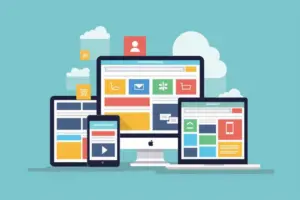
In today’s world, most people use their phones to go online. This means websites need to work well on small screens. Mobile-first design is about making sure websites look and work great on mobile devices before anything else. This way, users get a better experience, and businesses can reach more people. Let’s explore why this approach is important and how to do it right. Key Takeaways Mobile-first design focuses on making websites work well on mobile devices before anything else. This approach helps create faster, simpler, and more user-friendly websites. Designing for mobile first means prioritizing essential content and features. Businesses benefit from mobile-first design by reaching more users and improving engagement. Mobile-first design is a smart way to future-proof websites and stay ahead of trends. Why Mobile First is a Game Changer The Mobile First strategy is shaking up traditional web design by flipping the script. Instead of starting with desktop layouts, it begins with mobile designs. This shift forces designers to focus on what’s essential, making websites leaner, faster, and more user-friendly. The Shift in User Behavior People are glued to their phones more than ever. With the rise of smartphones, users now expect seamless mobile experiences. Google’s mobile-first indexing means it primarily uses the mobile version of your site for indexing and ranking, making a responsive design crucial for SEO success. Benefits for Businesses Adopting a Mobile First approach isn’t just about keeping up with trends; it’s about staying ahead. Businesses can enjoy: Higher user engagement Improved SEO rankings Broader audience reach Case Studies of Success Many companies have already reaped the rewards of a Mobile First strategy. For instance, e-commerce giants have seen significant boosts in sales and user satisfaction by prioritizing mobile-friendly designs. These success stories highlight the immense opportunities that come with embracing a Mobile First approach. Designing for Thumbs: The New Rule of Thumb When it comes to mobile design, thumbs rule the roost. Most users navigate their mobile devices using their thumbs, so interactive elements must be easily reachable. The Facebook app is a good example, with its navigation bar located at the bottom of the screen, within easy reach of the user’s thumb. Touchscreen Navigation Navigating a mobile site should be as smooth as butter. Here are some tips to make it happen: Thumb Reachability: Always design keeping in mind that the user should be able to reach all interactive elements with one thumb. The most critical controls should be within the thumb’s natural arc. Size of Touch Targets: Touch targets must be of sufficient size (recommended is at least 44 pixels square) to prevent users from tapping the wrong element accidentally. Feedback and Affordance: Each interaction should provide immediate visual feedback to reassure the user that the action has been registered. Thumb Zones Understanding thumb zones is crucial. The easiest areas to reach are at the bottom and center of the screen. Placing important buttons and links in these zones can simplify navigation for thumb-friendly interaction. Interactive Elements Interactive elements should be designed with the thumb in mind. Here are some key points: Finger-Friendly Touchpoints: Larger, easily tappable buttons and links are essential. Gestures and Interaction Patterns: Users interact with mobile devices using fingers rather than mouse pointers, which requires a different design approach to ensure ease of use and efficiency. Optimizing for Touch Interactions: Mobile users interact with their devices primarily through touch, which requires larger, more accessible touch targets. This means buttons and links must be designed with enough padding to prevent accidental taps. Remember, a thumb-friendly design isn’t just about convenience; it’s about creating a seamless and enjoyable user experience. Content Prioritization: Less is More When it comes to mobile-first design, the mantra is clear: less is more. By focusing on the essentials, you ensure that users get the most important information without feeling overwhelmed. This approach not only makes your site more user-friendly but also improves performance. Essential Content Only In a mobile-first strategy, you start by identifying the core content and features that are crucial for mobile users. This means prioritizing what appears above-the-fold so users can start interacting with the site immediately. By keeping content clear and concise, you help users focus on key messages without distractions. Streamlined User Interface A cluttered interface can confuse users and make navigation difficult. Simplify your navigation system with elements like hamburger menus or tab bars that expand when needed but stay out of the way otherwise. This streamlined approach conserves valuable screen space and enhances the user experience. Performance Optimization Performance is key in a mobile-first world. By prioritizing essential content and streamlining the user interface, you also optimize load times. Faster load times mean users can access your content quickly, which is crucial given that more than half of all internet traffic comes from mobile devices. This not only improves user satisfaction but also boosts your site’s overall performance. Progressive Enhancement: Building Up from Mobile Progressive enhancement is like building a cake from the bottom up. You start with a solid base that works on all devices, then add layers of goodness for those with more advanced tech. This way, everyone gets a slice, but those with fancier gadgets get the icing and sprinkles too. Starting with Constraints When you begin with the smallest screens, you focus on what’s really important. This means crafting an effective landing page for mobile users by prioritizing essential content and features. It’s like packing for a trip: you start with the must-haves and add the nice-to-haves if there’s room. Enhancing for Larger Screens As screen sizes grow, you can add more bells and whistles. Think of it as decorating a room: you start with the furniture and then add the decor. This approach ensures that your website looks great on a tiny phone and a giant desktop monitor. Ensuring Accessibility Accessibility isn’t just a buzzword; it’s a necessity. By starting with a simple, clean design, you make sure that everyone, including those with disabilities, can use your site. It’s
Read More »
Types of websites - jenis situs web
Web Development
andre

Exploring the Variety: Understanding Different Types of Websites

In the digital age, the distinction between various types of websites can be as nuanced as the content they host. From e-commerce platforms to personal blogs, each type of website serves a unique purpose and caters to different audience needs. Understanding the different types of websites is crucial for anyone looking to establish a successful online presence. This article delves into the myriad of website categories, the blogosphere’s influence on content creation, the differences between websites and blogs, and the technology that powers them all.   Key Takeaways Different types of websites serve distinct purposes, from selling products to facilitating social connections and showcasing creative portfolios. Blogs offer an interactive platform for engagement, enabling readers to comment, share, and respond to content, often featuring a dynamic and conversational tone. Understanding the differences between a blog and a website is essential, with blogs focusing on regular content updates and websites presenting a more static informational structure. Choosing between a blog and a website depends on one’s goals, with blogs favoring community building and websites serving as a digital storefront or brochure. Staying updated with web technology trends is crucial, as it influences how content is created, structured, and delivered to users across the digital landscape.   The Digital Spectrum: Types of Websites E-commerce Emporiums: The Online Marketplaces In the net, e-commerce emporiums stand as modern-day marketplaces, where the click of a button can fulfill desires from the mundane to the exotic. The evolution of e-commerce has transformed online stores into seamless shopping experiences, artfully influencing consumer behavior with desire creation and persuasion techniques. The Ultimate Guide to Ecommerce Marketing The evolution of ecommerce E-commerce isn’t just about transactions; it’s a stage for brand storytelling, a platform for social media engagement, and a tool for nurturing customer loyalty. The challenges are as diverse as the opportunities, ranging from combating counterfeit products to ensuring data security, promoting sustainability, and fostering community. As we navigate this digital domain, it’s crucial to understand the strategies for successful online selling. Authentic marketing and leveraging internet culture are not just buzzwords but essential ingredients for a thriving online presence.   Educational Hubs: From Kindergarten to Quantum Physics this type of website, educational, is as diverse as the subjects they cover. From the basic building blocks of reading and arithmetic to the complex theories of quantum physics, these digital hubs offer resources for learners at every level. Educational websites are not just repositories of knowledge; they are interactive, engaging platforms designed to cater to various learning styles and abilities. Educational hubs have revolutionized the way we approach learning, making education more accessible than ever before. For instance, numerous websites provide free science worksheets that are a boon for learners from kindergarten to high school. These resources are tailored to diverse learning styles, ensuring that science education is not only informative but also engaging and accessible to all. The structure of these websites is meticulously crafted to ensure a seamless and accessible digital journey. Clear navigation, intuitive user experience, and inclusive design are the cornerstones of these educational platforms.     Social and Community Website In the vast expanse of the digital universe, social media websites stand as bustling metropolises, where every status update, photo, and video is a thoroughfare connecting lives across the globe. The power of these platforms lies in their ability to bring people together, whether they’re old friends, new acquaintances, or potential business partners. Facebook Feed Instagram Feed YouTube Feed Twitter Feed Vimeo Feed Multi Social Feed These feeds are more than just digital streams of consciousness; they are curated galleries of personal milestones, breaking news, and viral trends. Each platform offers unique tools for engagement, from ‘likes’ to ‘retweets’, turning passive browsing into active participation. The key to a thriving social media presence is not just regular posting, but also engaging with your audience in meaningful ways. With the right strategy, these social circles can amplify your voice and even drive traffic to your personal or business website. It’s essential to monitor metrics like traffic, bounce rate, conversion rate, and social shares to gauge the impact of your content and refine your approach for maximum reach and engagement.   Portfolio Showcases: Strutting Your Stuff Online In the digital age, a portfolio is more than a collection of work; it’s a virtual stage for your creativity. Showcasing your projects online is akin to an artist’s gallery opening, with each click serving as an RSVP to your exhibit. A well-crafted portfolio website can speak volumes about your skills and style before a single word is exchanged. Various articles on digital marketing strategies, including value proposition, ROI, Google Business Profile optimization, CTA, bounce rate reduction, split testing, SEO techniques, backlink building, conversion rate optimization, and graphic design tips. Digital art, apps, and music/podcasts in the digital realm aim to create immersive experiences that engage, inspire, and transport the audience. Imagination is key in crafting these digital goods. Your portfolio is your digital handshake, the first impression that can open doors to new opportunities. It’s essential to populate it with diverse projects that reflect your expertise and the breadth of your capabilities.   Streaming Giants: The Video Vortex In the swirling video vortex of the internet, streaming giants stand tall, offering an endless buffet of visual feasts. From blockbuster movies to indie documentaries, these platforms have revolutionized the way we consume media. But what makes them tick? At the heart of every streaming service is a complex web of technology, content licensing, and user experience design. Netflix: The binge-watcher’s paradise Amazon Prime Video: A treasure trove of originals and classics Hulu: The hub for TV show enthusiasts Disney+: A dreamland for fans of Disney, Marvel, and Star Wars HBO Max: The go-to for cinematic masterpieces Each platform has its own unique flavor, catering to diverse tastes and preferences. Whether you’re in the mood for a laugh-out-loud comedy or a gripping thriller, there’s a streaming service with your name on it. In this digital era, the power of

Read More »
Uiux tools
UI/UX
andre

Essential UI/UX Tools for Designers

In the ever-evolving world of UI/UX design, having the right UI/UX tools is essential to build incredible products, services, and experiences for users. These tools help designers understand users and their needs, enabling them to make better-informed decisions. We’ve compiled a list of our top 19 UI/UX design tools for 2024—let’s take a look.   Key Takeaways UI/UX design tools are essential for building user-centric products and experiences. The right tools can help designers understand user needs and make better-informed decisions. Figma, Invision, and Marvel are among the top UI design software for effective collaboration and prototyping. Stark and other Figma plugins are revolutionizing the UI/UX design process, enhancing efficiency and creativity. Learning tools like Uxcel and CareerFoundry are valuable for advancing UX design skills and knowledge.   The Ultimate UI/UX Tools Showdown UI/UX Tools for Learning These UI/UX tools help with different aspects of the research and design process and can be separated into four types: Learning tools: for designers who want to build UX skills and knowledge, these learning tools include design degrees, bootcamps, online learning platforms, and more. Testing tools: usability testing tools enable UX designers to conduct user and usability testing at various stages of the design cycle. Prototyping tools: with prototyping tools, designers can create quality prototypes to create the best possible MVP. Survey tools: survey tools help UX designers conduct user-tested designs. Using the right design tools makes the difference between good and bad designs. To save you time, we’ve narrowed down a set of must-have collaboration UI/UX tools for designers. Let’s get started; up first, tools for learning. Whether you’re making a career transition into UX design or want to advance your skills, these UX tools for learning will get you up-to-date with the ins and outs of UX design. Uxcel Online learning platforms Design degrees Bootcamps If you want to improve UI:UX skills faster, Uxcel is the way to go. The online learning platform provides trials and discounts for their students, the program encourages hands-on learning of industry-standard tools. The program spans ten months with a 15 hours requirement a week during which a counselor or mentor will track your progress. The program focuses on teaching in-demand skills required in the industry along with real-time collaboration projects. Offering free trials and discounts for their students, the program encourages hands-on learning of industry-standard tools. Whether you want to improve existing digital products or create new ones, you have come to the right place. We will list the 10 best tools to help you provide great user experiences and decrease customer effort, and explain how to use them successfully (or in combination).   Tools for Prototyping When it comes to prototyping, designers are like chefs in a kitchen—each has their secret sauce, and no dish is complete without a taste test. Prototyping tools are the taste testers of the design world, allowing us to sample the user experience before the main course is served. Here’s a smorgasbord of the top tools that’ll help you whip up some delicious designs: Marvel: A superhero in the prototyping realm, Marvel is the Swiss Army knife for creating prototypes faster than you can say ‘user feedback’. Proto.io: For those who want their prototypes to mimic the final product like a doppelganger, Proto.io is your go-to. Zeplin: It’s the bridge between design and development, ensuring everyone speaks the same language—preferably, not in code. InVision: With InVision, collaboration is the name of the game. It’s like having a design party where everyone’s invited. Axure RP: For the tech-savvy designer who likes to add a sprinkle of logic to their prototypes, Axure RP is the secret ingredient. Remember, the best prototype is one that not only looks good but feels right. It’s all about the user experience, so don’t skimp on the taste tests!   Tools for Testing The usability testing tool you choose depends on the testing method you’ll be using. We’ve narrowed down a few dedicated tools for you below. Maze: Maze is a user testing platform that tests prototypes made in Figma, Adobe XD, Sketch, Marvel, and other tools. The all-in-one tools by Maze enable designers to import their prototypes quickly and easily. Designers then create, run, and share a number of usability tests including guerilla testing, A/B testing, multiple path analysis, and more. Optimal Workshop’s Reframer Tool: Optimal Workshop’s Reframer tool provides in-depth insights and analysis for qualitative research. Designers can use the platform to conduct various types of user testing, such as card sorting, tree testing, first-click testing, online surveys, and research tools. UserZoom: One of the most comprehensive user testing tools in the market, UserZoom is popular among designers. It offers a range of testing methods, including first-click tests, preference tests, design surveys, and five-second tests. UserZoom also provides designers with on-demand testers.   Tools for Surveys When it comes to understanding the whims and woes of your users, nothing beats a good ol’ survey. But let’s face it, nobody wants to fill out a boring questionnaire. That’s where these nifty survey tools come into play, turning the mundane into the fundane! SurveyMonkey: Your go-to for in-depth surveys that don’t monkey around with user insights. SurveySparrow: For surveys that are as engaging as a sparrow’s song, with analytics that make your design decisions soar. Jotform: Customizable forms that let you jot down user feedback even when they’re off the grid. Google Forms: The simple, no-frills option for when you just need the basics without spending a dime. Typeform: Where surveys meet style, and user engagement is just a form away. Remember, the key to a great survey is not just the questions you ask, but how you ask them. Make it interactive, make it fun, and watch the insights roll in!   Best UX Design Tools for UX Unicorns A powerful stack of UX/UI tools helps user experience and interface designers build incredible products, services, and experiences for users. They help designers understand users and their needs, enabling them to make better-informed decisions. We’ve

Read More »
Web wireframe
Web Design
andre

The Importance of Website Wireframes in Web Design

Website wireframes are foundational tools used in UI/UX design to outline the basic structure of a web page or app before adding detailed content and visual elements. They serve as a bridge between ideas and the first tangible iterations of a product. In this article, we will explore the importance of website wireframes in web design and discuss key takeaways to keep in mind.   Key Takeaways Website wireframes establish the groundwork for user experience (UX) by focusing on functionality and user flow. Using website wireframes in web design improves efficiency, facilitates transparent communication, and engages clients. Website wireframes play a crucial role in responsive web design by designing for different screen sizes and ensuring consistency across multiple devices. Translating wireframes into functional prototypes and collaborating with developers is essential for seamless implementation. Website wireframes are valuable in user testing and feedback, allowing for iterative improvements and optimization of user experience.   Why Website Wireframes are the Backbone of Web Design Understanding the Purpose of Website Wireframes Wireframes are a critical tool in user experience design, serving as a blueprint for web and mobile applications. They bridge the gap between conceptual structure and concrete development, resulting in optimized workflows and a focus on usability. Practical Application of Wireframes Wireframes provide a simple way to validate the functionality and usability of an app, allowing clients to visualize and navigate through different segments. By constantly engaging in wireframing, designers can explore ideas more deeply and create multiple design ideas and workflows. Wireframes improve team efficiency and facilitate transparent communication. They also lead to more engaged and satisfied clients. In summary, website wireframes are not just about showing layout, but about creating functional and user-friendly applications. They are a crucial step in the design process that helps teams collaborate effectively and deliver successful projects.   The Benefits of Using Website Wireframes in Web Design Website wireframes provide several benefits in the web design process. Let’s take a look at a few of them: Improved efficiency of team working Transparent communication A more engaged and flawless client interaction Proper planning and collaboration between developers and designers, thus easy and transparent communication By using website wireframes, teams can work more efficiently and effectively. The visual representation of the website’s structure and layout allows for clear communication and understanding among team members. It also helps to ensure that the client’s requirements and expectations are met, resulting in a more engaged and satisfied client. Additionally, wireframes facilitate collaboration between developers and designers, enabling them to work together seamlessly and produce high-quality designs. Implementing website wireframes in the web design process is crucial for a successful outcome. It sets the foundation for the design and development of the website, providing a clear roadmap for the entire project. With website wireframes, designers can iterate and refine their designs, making necessary adjustments before moving on to the next stages of development. Overall, wireframes streamline the design process and help avoid potential design disasters.   How Website Wireframes Streamline the Design Process Wireframes play a crucial role in streamlining the design process. They serve as a blueprint for the final product, providing a visual representation of the website’s structure and functionality. By creating website wireframes, designers can easily identify potential design flaws and make necessary adjustments before moving on to the development phase. This saves time and resources by avoiding costly revisions later on. Additionally, wireframes facilitate collaboration and communication among team members and stakeholders, ensuring everyone is on the same page and working towards a common goal. In summary, website wireframes streamline the design process by: Identifying design flaws early on Saving time and resources Facilitating collaboration and communication Ensuring a clear vision for the final product So, if you want to streamline your web design process and create a successful website, don’t skip the wireframing stage!   Avoiding Design Disasters with Website Wireframes Wireframes are an essential tool in web design, helping designers avoid potential design disasters. By creating website wireframes, designers can visualize the layout and structure of a website before diving into the actual design process. This allows them to identify any potential issues or challenges early on and make necessary adjustments. Collaboration is key when it comes to wireframing, as it ensures that all stakeholders are on the same page and can provide valuable input. With wireframes, designers can communicate their ideas effectively and gather feedback from clients and team members. This collaborative approach helps prevent design disasters and leads to a more successful web design project.   Creating Effective Website Wireframes: Tips and Best Practices Simplifying Complex Ideas with Website Wireframes When it comes to simplifying complex ideas, wireframes are the superheroes of web design. They have the power to take intricate concepts and break them down into clear and concise visual representations. With wireframes, designers can strip away the noise and focus on the core functionality, making it easier for stakeholders to understand and provide feedback. But website wireframes don’t just simplify ideas, they also bring structure and organization to the design process. By creating a wireframe, designers can outline the key elements and layout of a website or app, ensuring that every component has a purpose and fits seamlessly into the overall user experience. So how exactly do wireframes simplify complex ideas? Here are a few ways: Clarity: Wireframes remove distractions and present ideas in a straightforward manner, making it easier for everyone involved to grasp the concept. Focus: By highlighting the essential elements, wireframes help designers and stakeholders stay focused on the core functionality and user experience. Simplicity: Wireframes strip away unnecessary details, allowing designers to prioritize functionality over visual appeal. In the world of web design, wireframes are the secret weapon for simplifying complex ideas and creating user-friendly interfaces. So next time you’re faced with a challenging design project, remember to harness the power of wireframes and watch your ideas come to life!   Designing User-Friendly Interfaces with Website Wireframes When it comes to designing user-friendly interfaces with wireframes, there

Read More »
What is web designer - apa itu web desainer
Web Design
andre

Why Web Designer is Important

The internet is like a vast city with countless websites as its buildings. Ever wondered how these websites are created? Web designers and web developers do that! It’s all thanks to the awesome world of web design and development! In this easy-to-understand guide, we’ll explore the basics of web design and development to help you unravel the mysteries behind the websites you visit every day.   Key Takeaways Web designers are responsible for creating the look and feel of websites, including layout, colors, fonts, and images. Web developers build the structure and functionality of websites, using programming languages like HTML, CSS, and JavaScript. Web designers and developers need a range of skills, including creativity, technical knowledge, and problem-solving abilities. User experience (UX) design is an important aspect of web design, focusing on creating engaging and user-friendly experiences for website visitors. Continuous learning and staying up-to-date with design trends are essential for web designers and developers to stay ahead in the industry.   The Art of Web Design Understanding the Role of a Web Designer Web design is like decorating and arranging the furniture inside a house. It’s all about making the website look good and easy to use. Just like arranging a room, web designers decide where to put things on a webpage to ensure it looks organized and not too crowded. They also pick colors and fonts that match the website’s personality. A fun website might use bright colors and playful fonts, while a serious one might stick to more neutral tones and formal fonts. Web designers are the ones who choose images and graphics to make the site interesting and engaging.   The Evolution of Web Design Web design has come a long way since the early days of the internet. Back in the day, websites were simple and static, with basic HTML and limited functionality. But as technology advanced and user expectations grew, web design evolved into a dynamic and interactive art form. Today, web designers have a wide range of tools and technologies at their disposal to create stunning and user-friendly websites. From responsive design that adapts to different devices, to content management systems that make updates a breeze, web design has become a complex and exciting field.   The Skills Every Web Designer Should Have When it comes to web design, having the right skills is crucial for success. Here are some essential skills that every web designer should possess: HTML: HTML is the foundation of every website. It’s like the skeleton that holds everything together. Web designers use HTML to structure the content and layout of a webpage. CSS: CSS is like the clothes the website wears. It styles the HTML elements, making them look pretty. Web designers use CSS to change colors, fonts, and layout. JavaScript: If HTML is the skeleton and CSS is the clothes, then JavaScript is the magic that makes things happen. It adds interactivity to a website, like pop-ups, animations, and cool features. Responsive Design: With the increasing use of mobile devices, responsive design has become essential. Web designers need to ensure that websites look and function well on different screen sizes. Having a strong foundation in these skills will enable web designers to create visually appealing and user-friendly websites that meet the needs of their clients.   Crafting User-Friendly Websites Creating Engaging User Experiences In the ever-evolving landscape of digital experiences, user interface (UI) design plays a pivotal role in creating engaging and user-friendly applications and websites. By optimizing navigation and usability, integrating interactive elements, and building trust and credibility, web designers can create remarkable user interfaces that captivate and delight users. But how can you ensure that your designs are truly engaging? Here are some key principles to keep in mind: Optimizing navigation and usability: Make it easy for users to navigate your website or application by organizing content logically and providing clear calls to action. Integrating interactive elements: Incorporate interactive features like animations, hover effects, and microinteractions to make the user experience more dynamic and engaging. Building trust and credibility: Use visual cues, such as professional branding and testimonials, to establish trust and credibility with your users. Remember, practice makes perfect, so embrace challenges, seek feedback, and enjoy the process of bringing your design ideas to life. Happy designing!     The Importance of Responsive Design In the era of multiple devices and screen sizes, responsive design is paramount. It ensures that your website adapts seamlessly to different screen sizes, providing a consistent and enjoyable experience across devices. With the increasing use of smartphones and tablets, it’s crucial to prioritize responsive design to reach a wider audience and keep them engaged. Responsive design also improves user experience, as it allows for optimal viewing and interaction on any device. By implementing responsive design, you can enhance your website’s accessibility and usability, making it easier for users to navigate and find the information they need.   Optimizing Website Performance Optimizing website performance is crucial for ensuring a smooth user experience and maximizing conversions. To achieve this, web designers should prioritize the following strategies: Optimize for mobile users: With the increasing use of smartphones and tablets, it’s essential to design websites that are mobile-friendly. This includes responsive design and optimizing page load speed. Implement SEO strategies: Search engine optimization is key to driving organic traffic to your website. Focus on keyword research, meta tags, and optimizing content for search engines. Create engaging and shareable content: Content plays a vital role in attracting and retaining visitors. Make sure your content is relevant, answers questions, and is easy to read. Encourage social sharing to increase your website’s visibility. By implementing these strategies, web designers can create high-performing websites that deliver a seamless user experience and drive conversions.   Collaboration and Communication Working with Clients and Stakeholders When working with clients and stakeholders, collaboration and effective communication are key. Including essential players in the development of the design strategy, such as designers, developers, marketers, and business leaders, ensures that the plan

Read More »
Web design is - web desain adalah
Web Design
andre

Why Web Design Is More Important Than Ever

Web design is more important than ever in today’s digital age. Why web design is more important than ever? With over 1.8 billion websites on the internet, it is crucial to ensure that your website stands out and captures the attention of visitors. In this article, we will explore what web design is, the evolution of web design, its impact on branding and conversion, the latest web design trends, and the future possibilities of web design.   Key Takeaways Why web design plays a crucial role in capturing and retaining the attention of website visitors. A well-designed website can create a memorable brand identity and influence user perception. Designing for conversion can turn visitors into customers and drive business growth. Staying ahead of web design trends is essential to stay competitive in the industry. The future of web design holds exciting possibilities with innovations like AI, voice user interface, virtual reality, and chatbots.   Why Web Design is Important: Evolution from Basic to Beautiful The Early Days of Web Design: Aesthetics vs Functionality In the early days of web design, there was a constant battle between aesthetics and functionality. Designers were torn between creating visually appealing websites and ensuring that they were user-friendly and functional. It was a delicate balance that often resulted in websites that were either beautiful but difficult to navigate, or easy to use but lacking in visual appeal. Good web design is brilliant! Fortunately, as technology advanced and designers gained more experience, they were able to find a middle ground that combined both aesthetics and functionality. This led to the evolution of web design into the beautiful and user-friendly websites we see today.   The Rise of User Experience: Designing for the User User experience (UX) is a crucial aspect of why web design is focusing on how users interact with a website is important. It goes beyond just aesthetics and includes factors such as layout, navigation, and overall functionality. The goal of UX design is to create a website that is intuitive and user-friendly, providing a seamless browsing experience. To achieve this, web designers incorporate graphic design principles such as feedback, hierarchy, simplicity, and consistency. These principles improve usability and optimize user interaction and accessibility. By understanding the needs and goals of your users, you can design a website that meets their expectations and enhances their overall experience. UX driven web design is friendly!   Responsive Design: Adapting to the Mobile Era Upon a time, people accessed the internet using a desktop computer. Forget inflexible websites confined to desktop screens. Imagine a web page that transforms like a chameleon, adapting seamlessly to any device it lands upon. This, my friends, is the magic of responsive design – the art of crafting websites that dance across smartphones, tablets, and desktops, delivering a flawless experience regardless of the window size. Responsive web design is magic! Responsive design isn’t just a technical jargon; it’s a philosophical shift in website creation.   The Importance of Accessibility: Designing for All Users Accessibility and inclusive design ensure that websites are accessible to all users, including those with disabilities. By embracing accessibility, websites not only comply with legal standards but also reach a wider audience, enhancing both usability and inclusivity. Here are some key considerations for designing accessible websites: Colour Contrast: Ensure sufficient contrast between text and background for better visibility. Alternative Text: Provide descriptive alternative text for images to assist users with visual impairments. Keyboard Navigation: Enable navigation through keyboard commands for users who cannot use a mouse. Designing for accessibility is not just a trend, but an ethical choice that allows everyone to access and engage with online content. As web designers, it is our responsibility to create websites that are inclusive and provide equal opportunities for all users. Amazing web design is amazing!   Why Web Design is Important: Impact on Branding and Conversion Creating a Memorable Brand Identity through Web Design A memorable brand identity is crucial for any business or organization, and web design is part of a significant role in achieving this. The use of brand elements and logos helps establish a strong visual identity, making your website instantly recognizable. But it’s not just about the visuals. A well-designed website should also be easy to navigate and leave a lasting impression on visitors. By incorporating eye-catching visuals, interactive elements, and intuitive layouts, you can create a website that stands out from the competition and engages your audience. To create a memorable brand identity through web design, consider the following: Consistency: Ensure that your brand elements, such as colors, fonts, and logos, are consistent throughout your website. This helps reinforce your brand identity and makes your website more cohesive. Storytelling: Use your website design to tell a compelling story about your brand. Incorporate visuals and content that reflect your brand’s values, mission, and unique selling points. User Experience: Prioritizing user experience in your web design is a good thing. Make sure your website is easy to navigate, with clear calls-to-action and intuitive layouts. A positive user experience will leave a lasting impression on visitors. Mobile Optimization: With the increasing use of mobile devices, it’s essential to optimize your website for mobile. Ensure that your website is responsive and displays correctly on different screen sizes. Remember, your website is often the first interaction users have with your brand. Make it count by creating a memorable brand identity through web design.   The Psychology of Color: How Web Design is Influencing Perception Color plays a significant role in web design, influencing how users perceive and interact with a website. Research has shown that color can evoke emotions, convey meaning, and even affect purchasing decisions. When choosing a color scheme for your website and branding, it’s important to consider the psychological impact of different colors. Here are some key points to keep in mind: Red is associated with energy, passion, and urgency. It can be used to grab attention and create a sense of excitement. Blue is often associated

Read More »
Web design service
Web Design
andre

The Importance of Web Design Services

Web design services play a crucial role in boosting your online business and increasing your brand’s visibility. A well-designed website serves as your digital storefront, providing valuable information to potential customers. In this article, we will explore the importance of web design services and how they can enhance your online presence.   Key Takeaways Creating a memorable first impression Enhancing user experience Building trust and credibility Increasing conversion rates Striking the perfect visual appeal   Why Web Design Services are Vital for Your Online Business Creating a Memorable First Impression In today’s digital age, where competition is fierce and attention spans are short, having a visually appealing website with a strong brand identity can make all the difference in attracting customers and boosting sales. First impressions matter, and when it comes to eCommerce websites, the first impression is often based on visual appeal. Studies have shown that users form opinions about a website within 0.05 seconds of landing. If your website doesn’t capture their attention immediately, they will likely move on to another site.   Enhancing User Experience A user-friendly interface is an essential part of web design services for creating a positive customer shopping experience. This includes features like an easily accessible search bar, clear product categories, and filters to narrow options. By making it easy for users to find what they are looking for, you not only save them time but also build trust by showing that you value their time and convenience. Easily accessible search bar Clear product categories Filters to narrow options Remember, a seamless user experience is the key to unlocking higher conversion rates and customer satisfaction. So, make sure your website is designed with the user in mind!   Building Trust and Credibility Building trust and credibility is essential for the success of any online business. When customers trust a brand, they are more likely to make a purchase and become loyal advocates. Here are some strategies to build trust and credibility: Provide exceptional customer service: Prompt and professional responses to inquiries and issues show that you value your customers and their satisfaction. Showcase customer testimonials: Highlight positive feedback from satisfied customers to demonstrate the quality and reliability of your products or services. Establish industry partnerships: Collaborate with reputable industry experts or organizations to enhance your credibility and reach a wider audience. Consistently deliver on promises: Meeting or exceeding customer expectations consistently builds trust and establishes your reputation as a reliable business. By implementing these strategies, you can build a strong foundation of trust and credibility, which will ultimately boost your online business.   Increasing Conversion Rates Increasing conversion rates is crucial for the success of any online business. In web design services we understand that it is not enough to have a visually appealing website; you need to optimize it to turn visitors into customers. Here are some strategies to boost your conversion rates: Creative designs: Captivate your audience with unique and eye-catching designs that leave a lasting impression. Attractive website appearance: Make sure your website is visually appealing and reflects your brand identity. Special offers: Entice customers with exclusive deals and promotions to encourage them to make a purchase. SEO optimization: Implement SEO strategies to improve your website’s visibility and attract more organic traffic. Social media marketing: Leverage social media platforms to reach a wider audience and drive traffic to your website. By implementing these web design services strategies, you can significantly increase your conversion rates and drive more sales for your online business.   The Art of Web Design Services: Balancing Aesthetics and Functionality Striking the Perfect Visual Appeal When it comes to web design services, striking the perfect visual appeal is crucial. Your website’s design is the first thing that users notice, and it can immediately impact their decision to stay or leave. In order to create a visually appealing website, there are a few key principles to keep in mind: Balance: Compartmentalize your design by using grids and ensure that all elements are well-proportioned. Color: Pick two or three base colors at most for your design to maintain a cohesive and pleasing aesthetic. Graphics: Make sure that the graphics you use complement the overall design and enhance the user experience. By following these principles, you can create a visually appealing website that captures users’ attention and keeps them engaged.   Optimizing Navigation and Usability Optimizing navigation and usability is crucial for a successful website. Organizing information in a logical hierarchy, simplicity, consistency, and providing feedback are key principles of graphic design and website design services. Optimizing user interaction and ensuring accessibility are important for a seamless user experience. By creating a user-friendly interface with clear navigation, businesses can effectively communicate their brand story and core values. This not only helps in building trust and credibility but also forges a strong emotional connection with the target audience, ultimately leading to customer loyalty and advocacy. To optimize navigation and usability, consider the following: Organize information in a logical hierarchy Ensure simplicity and consistency Provide feedback to users Prioritize user interaction Ensure accessibility Implementing these strategies will not only enhance the user experience but also improve search engine optimization and increase conversion rates.   Responsive Design: Adapting to All Devices In today’s digital age, where smartphones and tablets have become an integral part of our lives, it is crucial for websites to adapt to all devices. Responsive design is the key to ensuring that your website looks and functions seamlessly on any screen size, whether it’s a desktop, a smartphone, or a tablet. With responsive design, you can provide an optimal user experience as part of your web design services to your visitors, no matter what device they are using. Improved user experience is one of the major benefits of responsive web design, as it allows users to easily navigate and interact with your website on any device. Studies have shown that responsive designs lead to higher user engagement and longer browsing sessions. So, if you want to keep your visitors

Read More »

© 2022 Cerberus Works